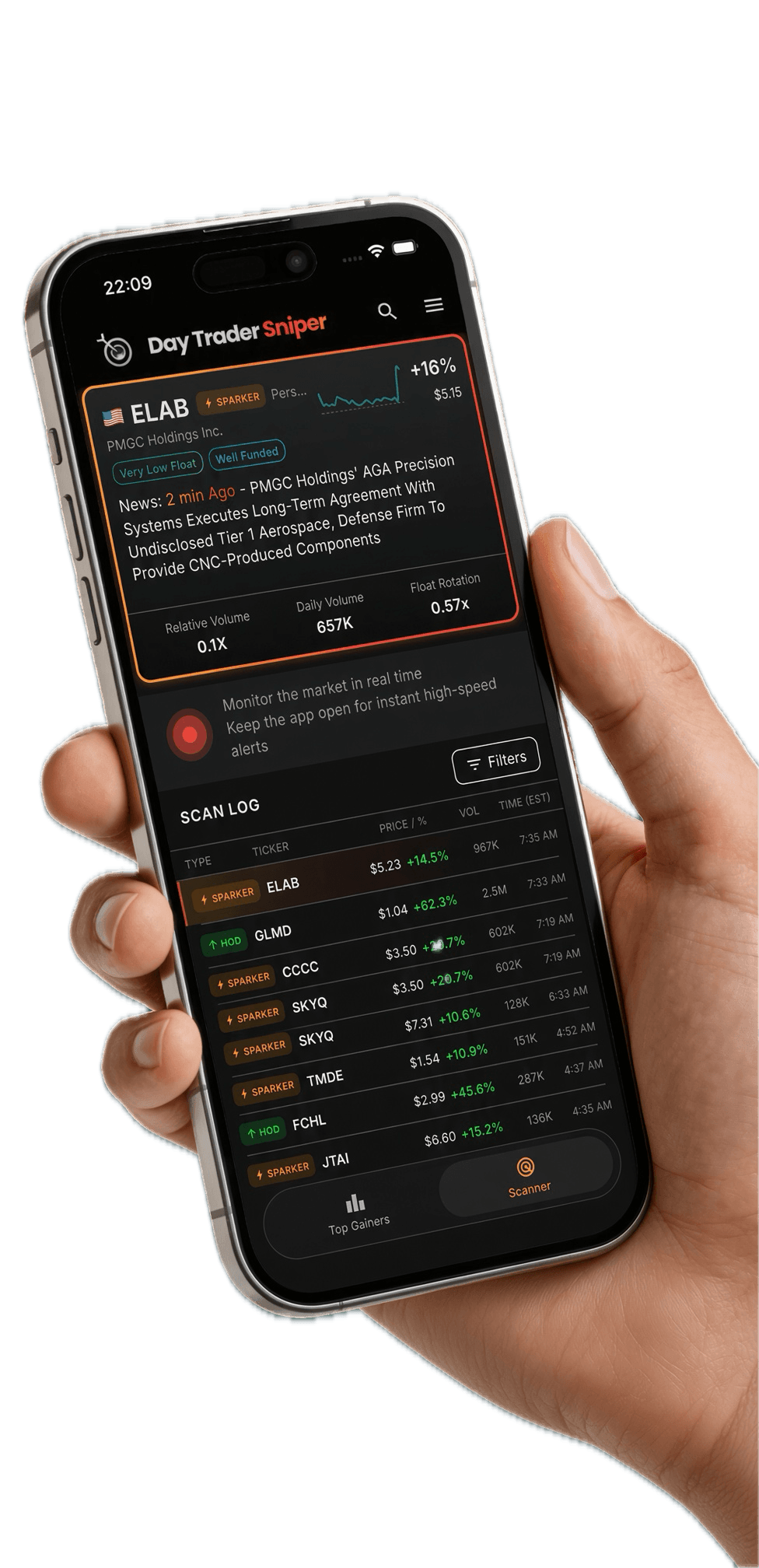
How to get started
Open the app, find Home, Top gainers, and the Scanner, and start a trading session on iPhone or Android if you want alerts while the app is in the background.
Support
Find answers in Help & Tutorials, or email us. The guides are the same articles you see in the app under Help & Support.
From Help & Tutorials
Open the app, find Home, Top gainers, and the Scanner, and start a trading session on iPhone or Android if you want alerts while the app is in the background.
A Sparker is a once-a-day alert that a name has started a qualifying move. When it fires, you get an in-app sound (when the app is open) and the Stock Card: the headline, price move, relative volume, float, daily volume, and your Entry Checklist score. A Sparker is not a recommendation to buy or sell.
Each alert and Stock Card can include the headline behind the move and, when classified, a catalyst line — for example, Corporate Deals, then Equity Investment. That line describes the news. It is not a recommendation.
Entry Checklist controls this. A common starting point is Price, Float, Relative volume, News catalyst, and Min change. With no rules saved, every Sparker and every new high of day can reach you. Hard filter blocks the alert and hides the row from the Scanner list (not Top gainers). Open Entry Checklist to change rules.
Alerts arrive when the app is open, or when you have started a trading session on iPhone or Android. Without an active session, keep the app open. Sessions and push are not available in the web app.
No. The product is on iPhone, Android, and the web app. You can read the alert, Stock Card, and Entry Checklist on your phone.
Open Profile, then Subscription, then Manage subscription. Check renewal date, update payment method, or cancel. On iPhone and Android, billing is through the App Store or Google Play.
Open Profile, then Delete my account. This is permanent. You can sign up again with the same email.
No. Day Trader Sniper surfaces data and scores the rules you set. It does not tell you what to buy or sell and does not guarantee a result. Not financial advice. Trade at your own risk.
More questions are answered in Help & Tutorials.
The public path for help is email: support@daytradersniper.com.
In the app, Profile includes Send feedback for product comments. Help requests use this email.
Sparker sounds an audio alert as a move begins, so you can act while it is still forming.