
You see the move start.
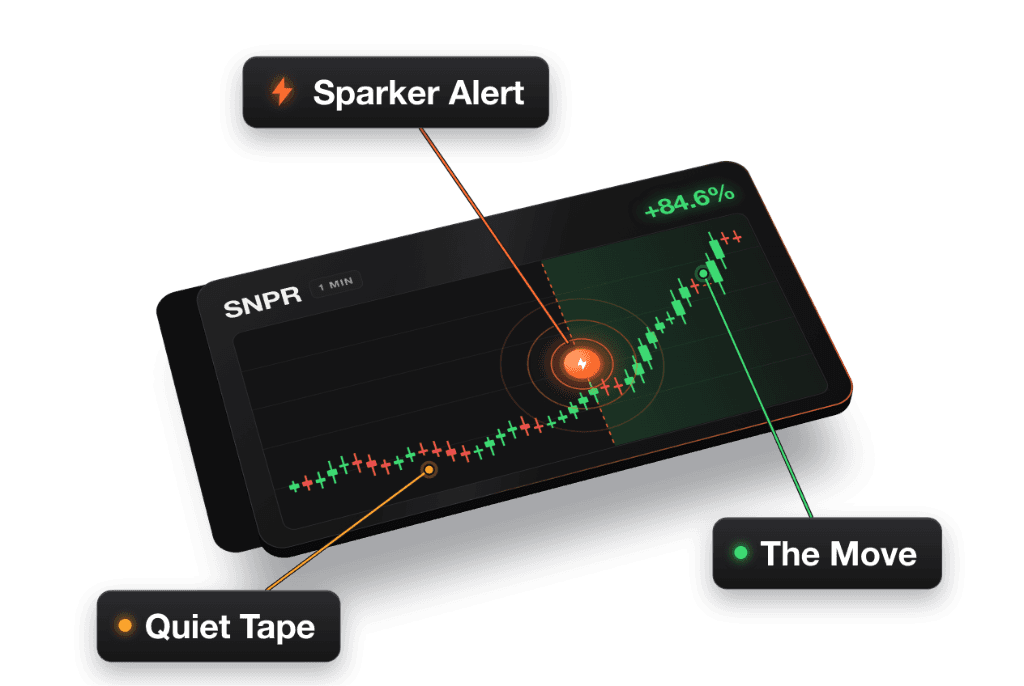
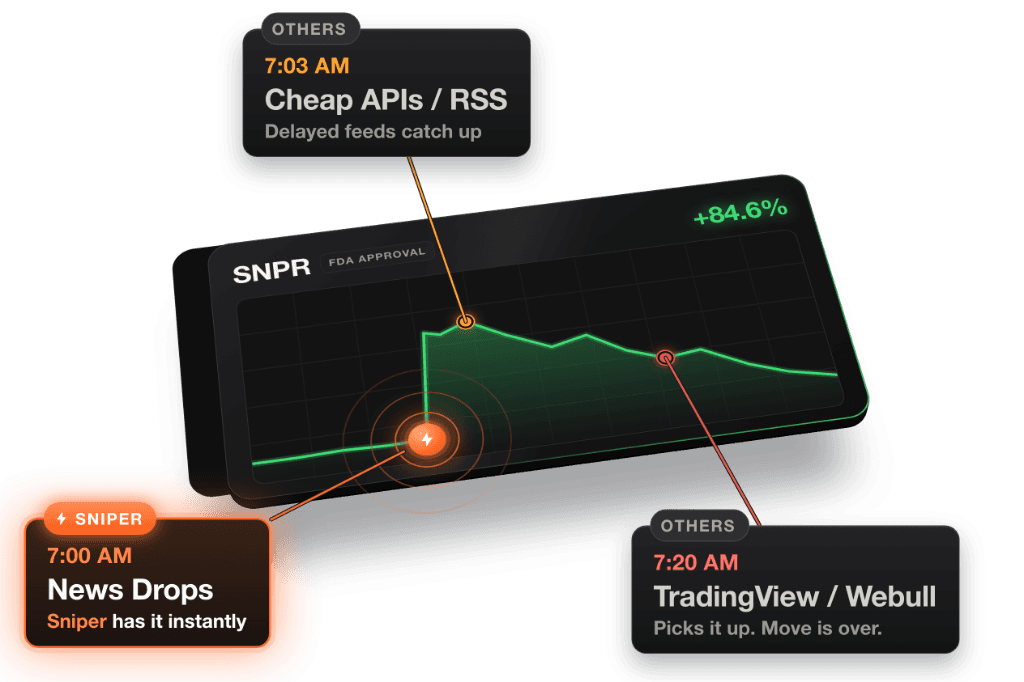
Nobody wants to find a stock after it has already run. Sparker marks the first candle, with the quiet before it and the move after, so you know exactly where the move stands when you look.
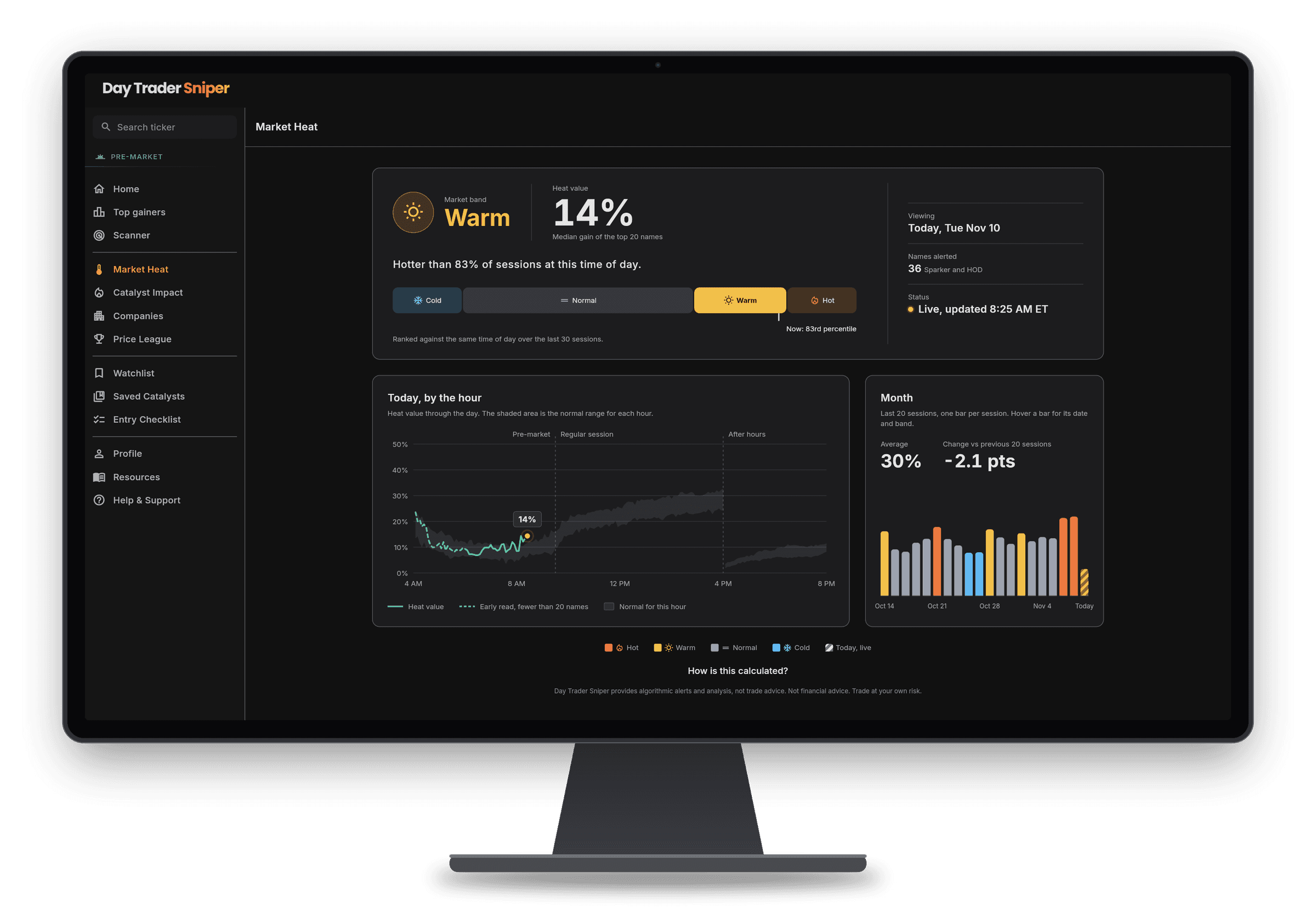
Market Heat shows how hot the day is before you give it your time.
Top Gainers shows who's leading, how far they've moved, and the headline behind the move.
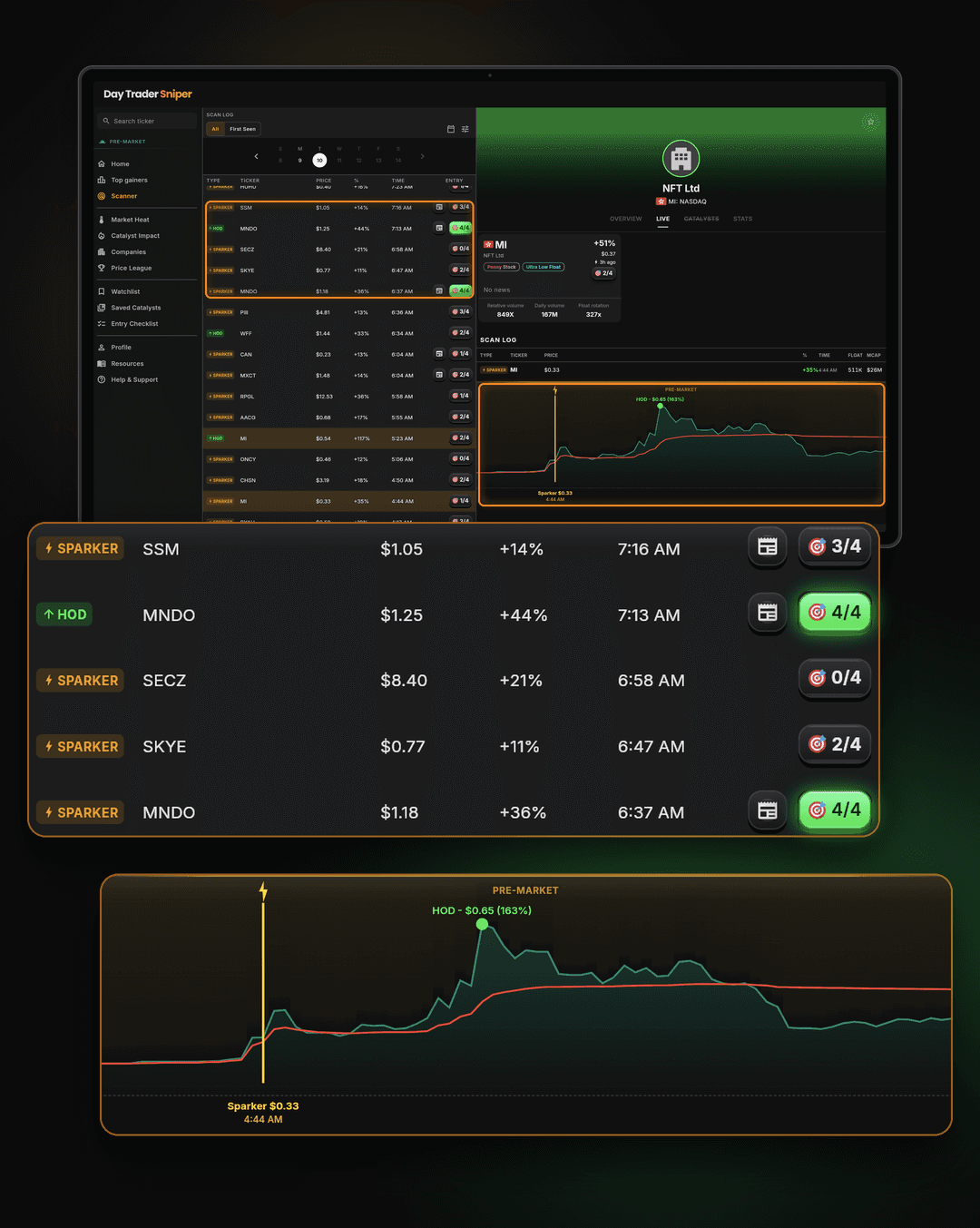
Sparker and high-of-day alerts sit right next to the stock, with the price and your entry checklist from the moment they fired.
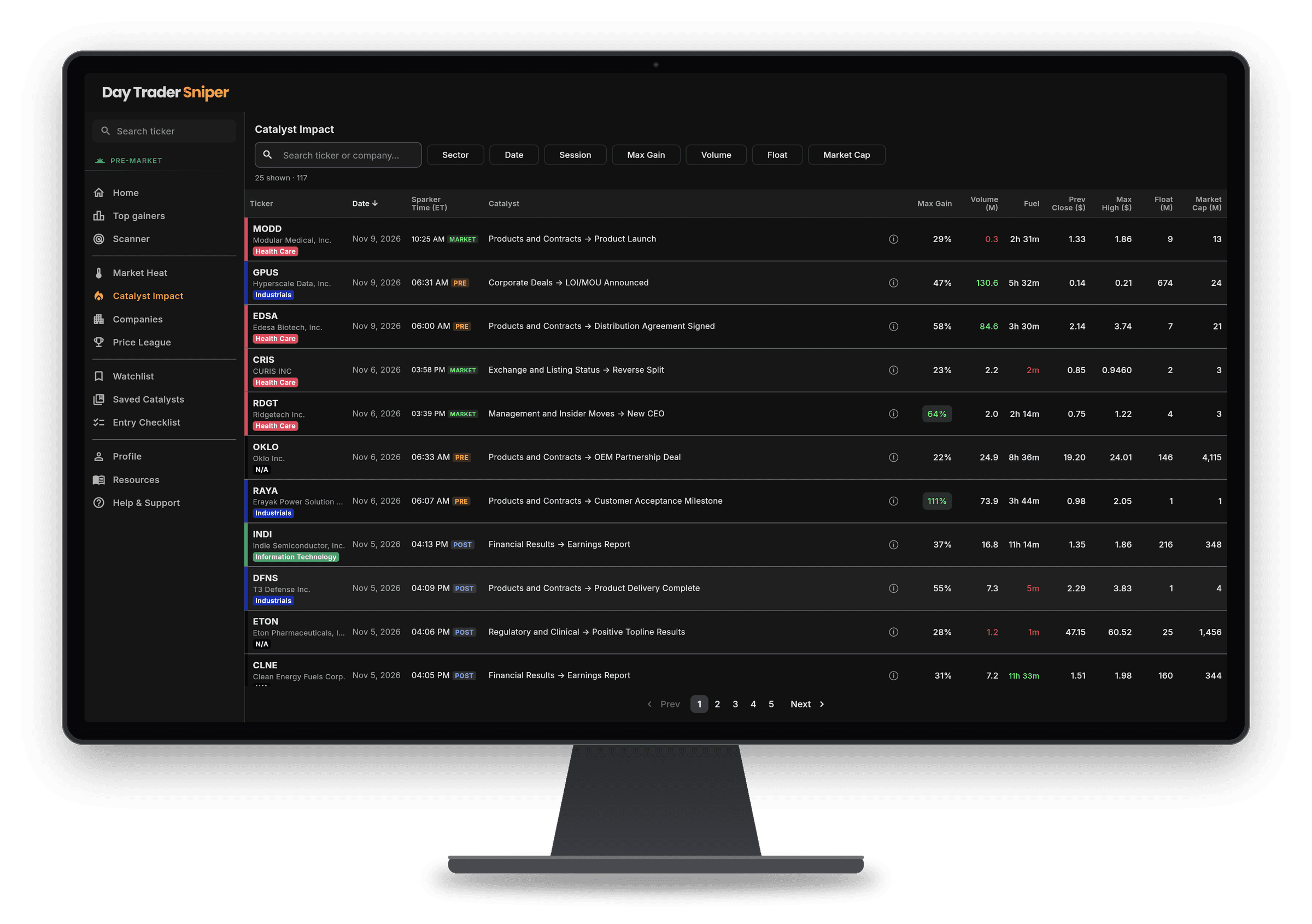
Catalyst Impact shows the news and how far the stock ran.
Start your trial, and this is the desk you sit down to.
Same account. Same alerts.
Phone and desktop.
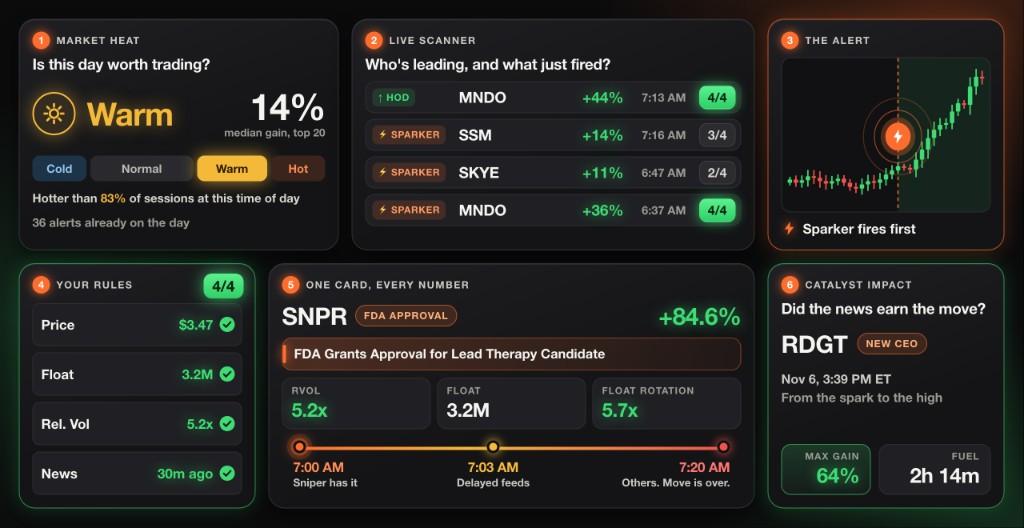
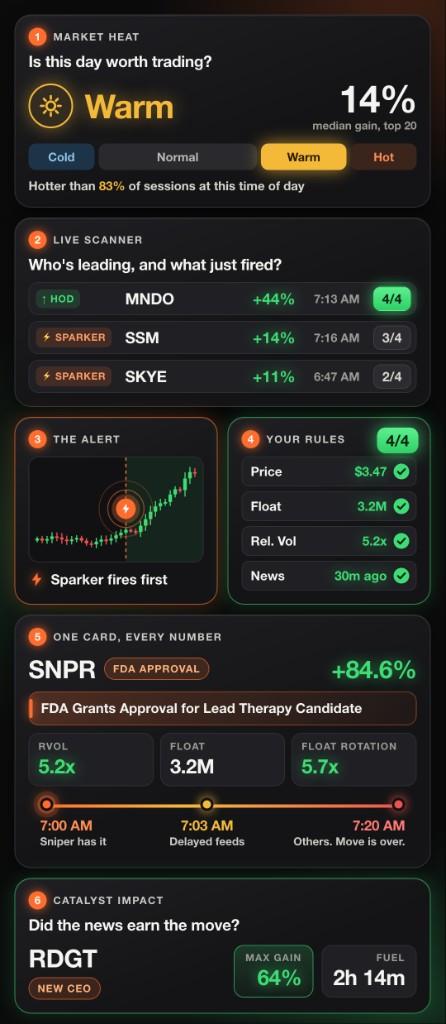
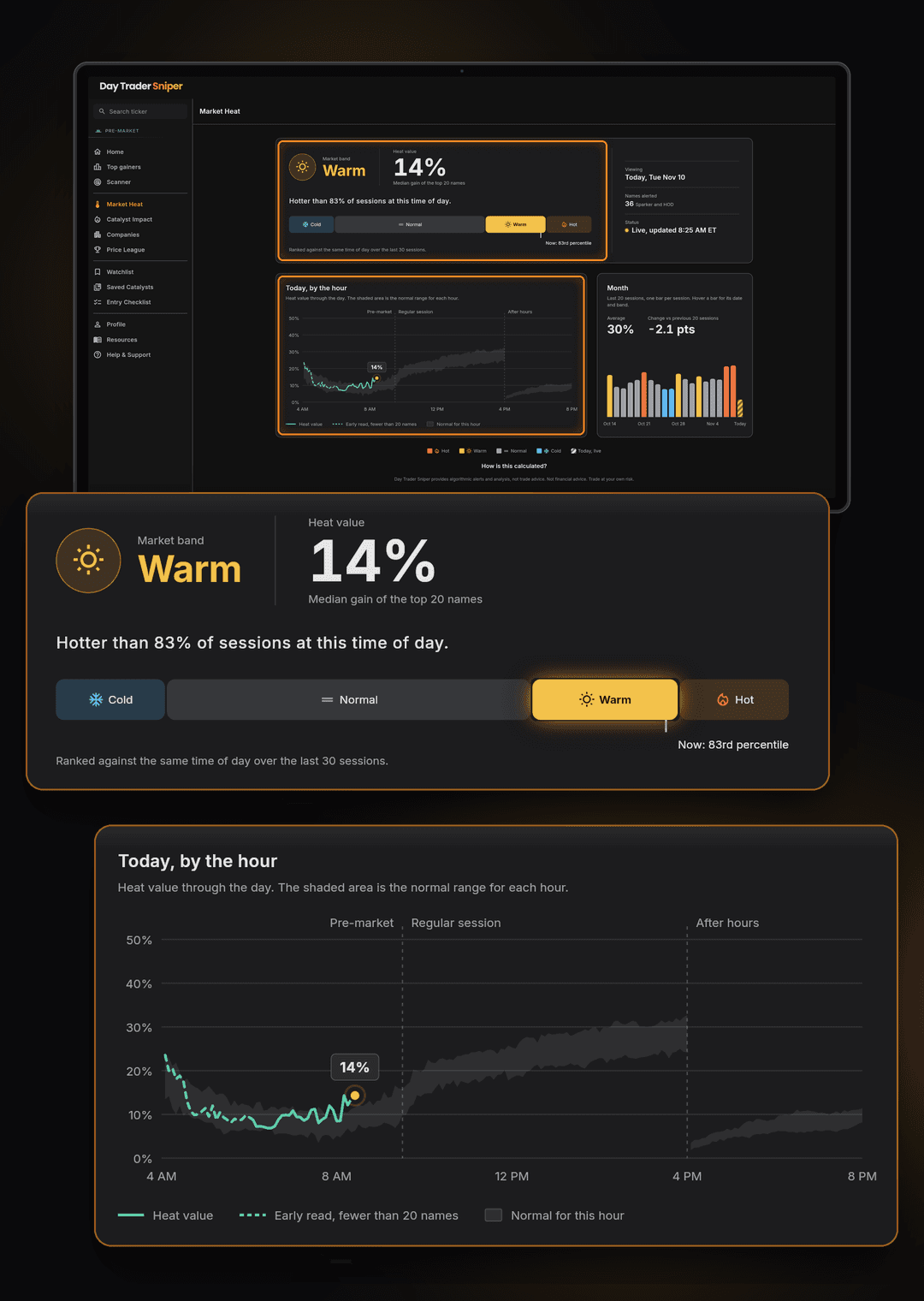
Some mornings the whole list is moving. Some mornings nothing is. Market Heat tells you which one you are in with one look: Cold, Normal, Warm, or Hot, compared with the same time of day on the last 30 sessions. On a slow day you find out at 8:25, not after a morning of staring at a dead list.
You can't watch every stock. A name that was nowhere a minute ago can ignite and be at the top of the list the next. Sparker catches that first move and tells you the moment it happens. The alert comes with the reason: the news behind it. Top Gainers keeps the day's leaders in front of you the same way, each with its headline. And you judge the setup by the price and your checklist score from the moment the alert fired, not the price it reached by the time you looked.
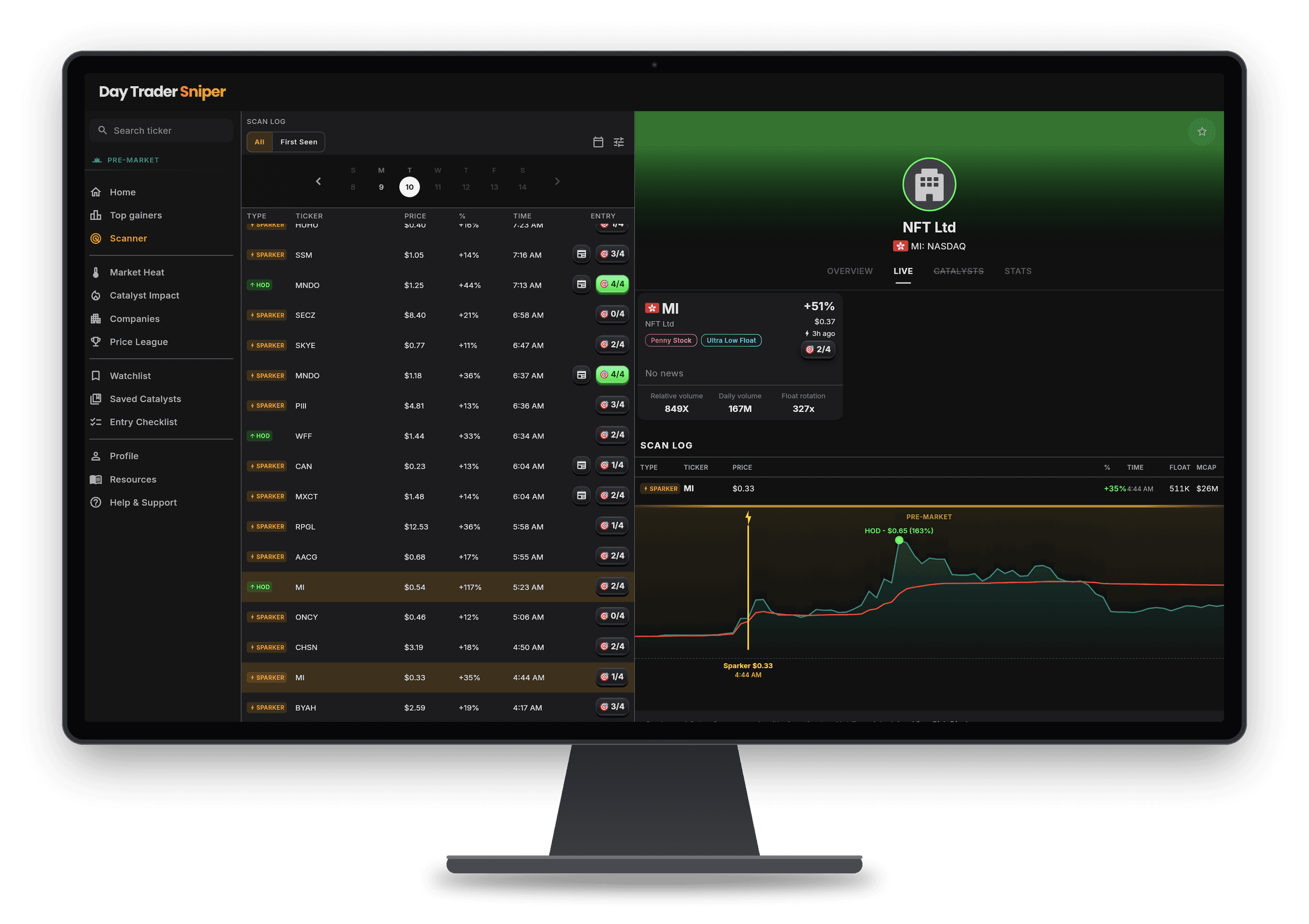
The day is hot. A name is leading. The alert arrives with the move, the news, and your rules already checked. That is the one worth a closer look. What you do with it is yours.
Nobody wants to find a stock after it has already run. Sparker marks the first candle, with the quiet before it and the move after, so you know exactly where the move stands when you look.
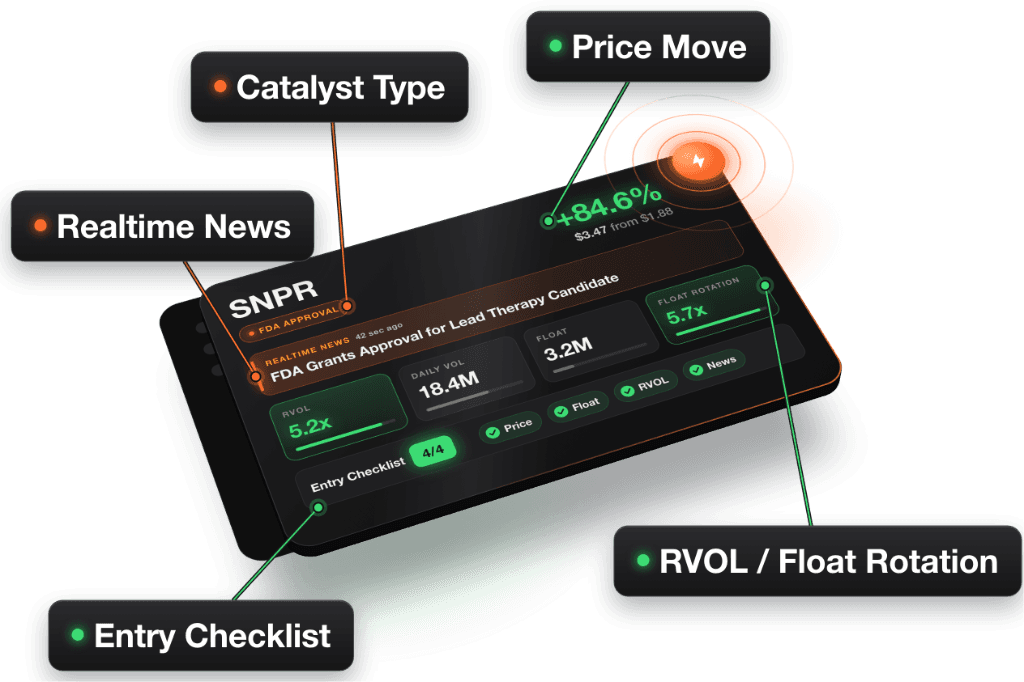
A stock running on an FDA approval is a different story from one running on a press release. The headline and the type of catalyst are on the card when the alert fires, so you are not searching for the reason while the price moves.
In the moment, it is easy to get carried away by a move. You set the rules once: price, float, relative volume, news. Every alert shows how many it meets, 4/4 or 2/4, before the excitement gets a vote.
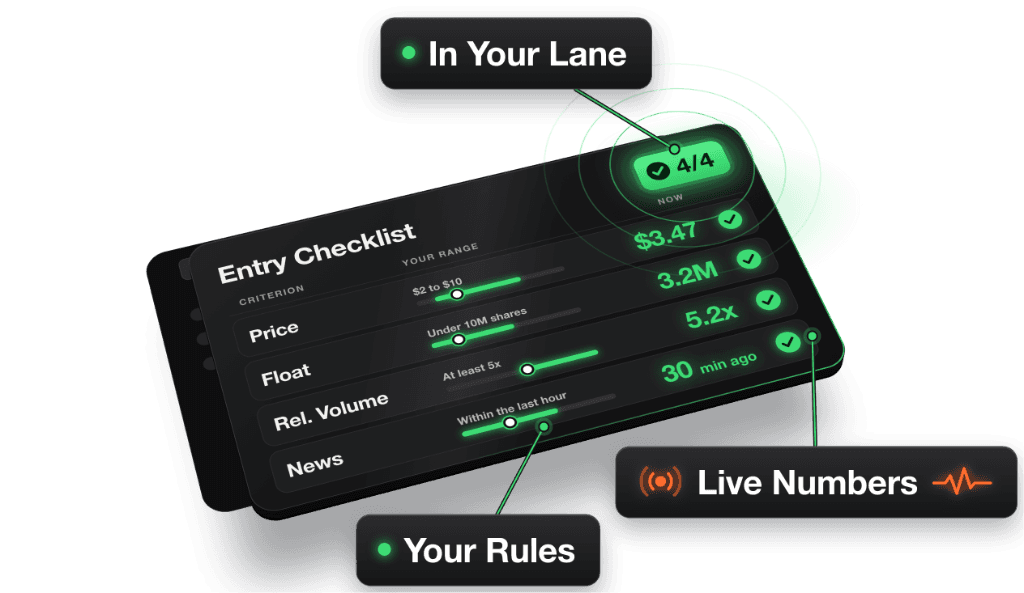
No second screen, no switching apps. Price, news, catalyst type, RVOL, float rotation, and your checklist are on one card. Your attention stays on the stock, not on looking things up.
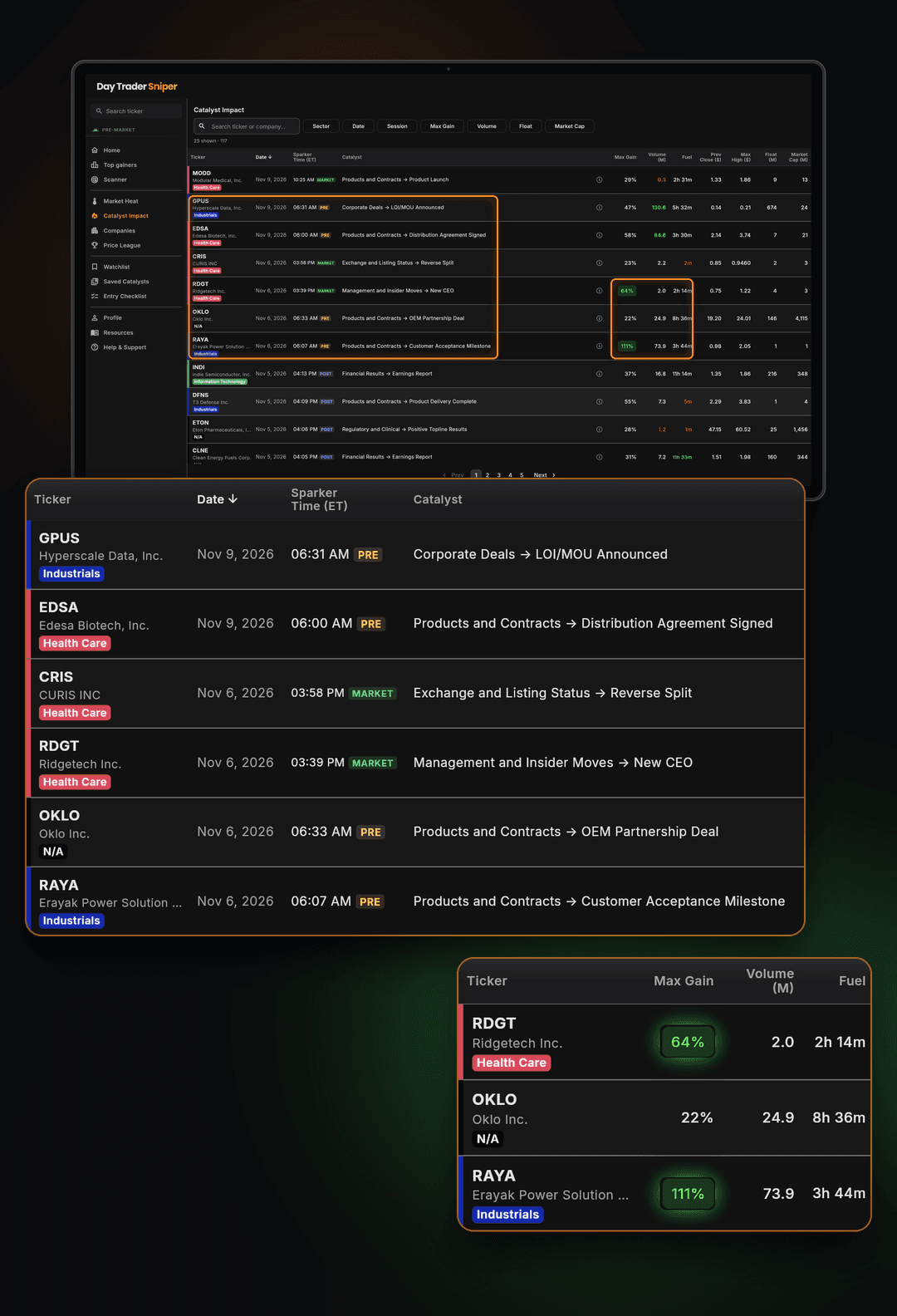
Not every headline moves a stock, and you only find out which ones do by watching what happens after. Catalyst Impact keeps each headline next to what the stock did: how far it ran and how long the move lasted. RDGT named a new CEO on Nov 6 and ran 64% over 2h 14m. The next time that kind of news drops, you have already seen how it played out.
You know what kind of day it is. You see what is moving and why. The alert that matters arrives with your rules already checked, and you can look up how that kind of news has played out before. That is the whole day, without a second screen. Your trial opens on the account you already have.
Try the scanner free →Same account. Same alerts.
Phone and desktop.